Tuner
A free tuner that listens through your microphone — built for bass, ready for guitar, ukulele and a dozen more, chromatic for everything else.
Tap a string — on the instrument or in the panel — to hear the note.
Your browser will ask to use the microphone — that's the tuner's ears.
Everything is analysed on your device. Sound never leaves it.
Space mic on/off · ← → choose a string · P play it · D drone
How to use it
Press start and let it listen. The tuner works through your microphone, and all the listening happens right here on your device — nothing is recorded, nothing is sent anywhere. Pluck a string, one at a time, and let it ring: the tuner recognises which string you're closest to, swings the needle, and turns green when you're within three cents of the note. Tune every string until it has its tick, then play the lot and enjoy the feeling.
Built for bass, ready for the rest. It opens as a 4-string bass tuner, with 5- and 6-string a tap away and the low B read just as confidently as the G — low notes are exactly what this tuner was built around. The instrument menu covers guitar (6, 7, 8 and 12 string), ukulele, banjo, mandolin, the violin family and double bass, each with its common tunings — from drop D to DADGAD to open G. Presets run from a two-string cigar box to a twelve-string guitar, and Custom lets you build anything in between, one string to twelve, any notes you like.
No mic, or tuning by ear? Tap any string — on the artwork or in the panel — to hear the note, played like a plucked string rather than a beep. Turn on Loop and it repeats every few seconds so both hands stay on the instrument. And if you're tuning something the presets don't cover, Chromatic mode simply names whatever note it hears — harmonica, melodica, saucepan, anything that holds a pitch.
Tuning tips
Always tune up to the note. If a string is sharp, drop it below the target and come back up — winding up to pitch keeps tension on the gears, so the string holds its tuning instead of slipping back down. Pluck near the neck for a cleaner reading, let the note ring rather than re-picking furiously, and don't chase the needle: bass notes wobble for the first half-second, so watch where it settles. New strings stretch — retune a few times and they'll behave.
What the tuner is telling you
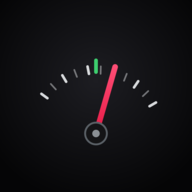
The scale reads in cents — hundredths of a semitone, one fret cut into a hundred slices. The needle shows how far you are from the nearest note (or from the string you're tuning): left of zero is flat, right is sharp, and within ±3 cents everything turns green — closer than almost anyone can hear. The striped band underneath is a strobe: it drifts in the direction you're off and freezes when you're true, so the slower it crawls, the closer you are. A4 sits at 440 Hz unless you tell it otherwise — playing along to an old record or with an orchestra that tunes at 442, nudge the reference and every target moves with it.
| String | Note | Frequency at A440 |
|---|---|---|
| Low B 5- and 6-string | B0 | 30.87 Hz |
| E | E1 | 41.20 Hz |
| A | A1 | 55.00 Hz |
| D | D2 | 73.42 Hz |
| G | G2 | 98.00 Hz |
| High C 6-string | C3 | 130.81 Hz |
Keep it in your pocket
This tuner installs as an app: its own icon on your home screen, full-screen with no browser around it, and — once installed — it works with no signal at all. The whole tool lives on your device, which is handy, because sound never left it anyway.
To install: look for “Install” or “Add to Home Screen” in your browser’s menu.
Installed — look for the Tuner icon on your home screen. This tab is still the website.
You’re in the app
This is the installed tuner, not the website — it works even with no connection. Everything else, from the free lessons to Pete himself, lives at theinfinitebass.com.
In tune? Good. Now make it groove
A tuned bass is the ticket in, not the show. The free lessons cover what to do once you're in — and if you want a guide, Pete's right here.
Also in the free tools: the metronome and the groove trainer — now that it's in tune, keep it in time — and the interval ear trainer: name what you hear. Then find it on the neck with The Infinite Fretboard and the Fretboard Modemap.